Konstantly MCP Server
Connect Claude Desktop, Claude Code, Cursor, or any MCP-aware AI agent to your Konstantly workspace — with the same permissions as the browser UI.
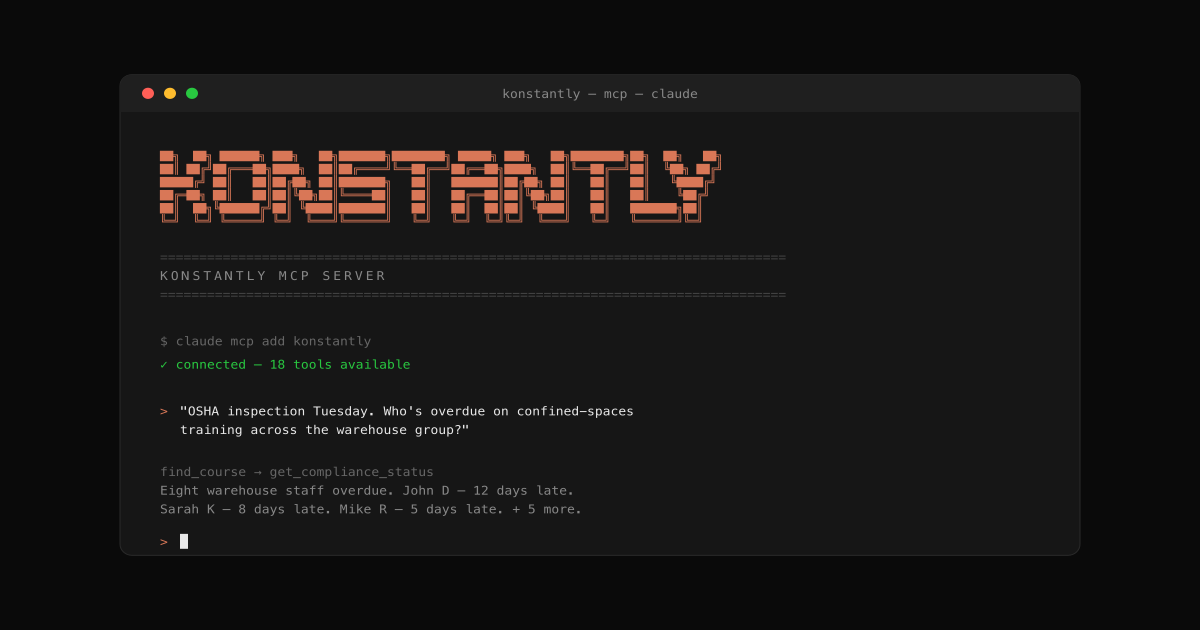
Most learning platforms make you do things the wrong way around. You start with a question — "who's overdue on confined-spaces training across the warehouse group?" — and end up reverse-engineering it through filters and CSV exports.
Today we're shipping the Konstantly MCP Server, so any AI agent that speaks the Model Context Protocol — Claude Desktop, Claude Code, Cursor, internal Slack bots, ChatGPT when it lands — can answer that question directly from your workspace, with your real permissions.
Install in five minutes, ask in plain English, get a real answer.
What you can do today
- Compliance audit prep — "OSHA inspection Tuesday. Show me everyone overdue on confined-spaces training, sorted by how overdue they are."
- Onboarding automation — "Sarah Chen starts Monday. Assign the new-hire bundle plus warehouse safety, due in two weeks."
- Certification forecasting — "What's expiring in the next 60 days? Schedule recerts two weeks before each expiry."
- Weekly leadership digests — "What training was completed last week? Format as a 4-bullet exec summary."
- Build a course from a PDF — "Take this OSHA confined-spaces SOP. Build a 5-lesson course for new warehouse hires, one quiz per lesson, plus a final assessment."
- Iterate without leaving Claude — "Course 412 is missing emergency rescue procedures. Add a section before the final quiz. Also question 3 in lesson 2 reads ambiguous — rewrite it."
The full tool list, install snippets, and security model are in the setup guide and the technical reference.
Read the full story: How to ask Claude about your training data.
Improvements9
- MCPofficial npm package @konstantly/mcp-server — installs in five minutes in Claude Desktop, Claude Code, or Cursor
- MCP25 tools covering user lookup, course search, compliance reporting, certificates, statistics, assignments, offboarding, AI course generation, and AI refinement
- MCPAI course generation — let the agent build a complete course from a plain-English prompt or a PDF / DOCX / image, grounded in your source material
- MCPAI course refinement — append new sections to an existing course, rewrite a single quiz question, or refresh a lesson's brief, without ever opening the editor
- MCPper-user keys with read-only and read+write scopes, gated by license tier (Business and Enterprise)
- MCPpermissions inherited from the issuing user — no parallel permission system, no escalation surface
- MCPevery write action lands in your audit log alongside the equivalent UI event, so compliance reports keep working unchanged
- MCPbrute-force resistant — failed-auth attempts throttle per source IP and per-key quotas enforce predictable usage
- Settingsnew MCP Keys page for issuing, naming, and revoking keys — full key shown only once at creation