Changelog

What's new in Konstantly? Stay up to date with the latest features, improvements, and fixes.

EditorPlayerAdmin

February 2026 Updates

Page editor text improvements, certificate downloads, CSV exports, audit log redesign, and 20+ bug fixes across the platform.

Improved

Page Editor — Text Editing

A better text editing experience with auto-sizing, precise formatting, and smarter paste behavior.

  • Auto-resize text boxes — Text boxes grow as you type and shrink when you delete, just like Google Slides and Figma
  • Custom font sizes — Type any size from 8px to 400px with stepper buttons for quick adjustments
  • Full color picker — Gradient picker with hex input for text and highlight colors, alongside preset swatches
  • Text case toggle — Cycle through UPPERCASE, lowercase, and Capitalize with one click
  • Smart paste — Text from web pages and Word is automatically cleaned to plain text with line breaks preserved
  • Grid snap lines — Yellow alignment guides appear when dragging elements near grid centers
  • Default font — Poppins now shows as the default in the toolbar and font dropdown
  • Save confirmation — A toast notification confirms when pages are saved
Improved

Certificate Downloads

Reliable certificate generation with a browser-based fallback.

  • Client-side rendering — Certificates download as PNG directly in the browser when the server screenshot service is unavailable
Improved

Audit Log

Redesigned filters for faster investigation.

  • Smart filter panels — Type-specific dropdowns for dates, choices, text, numbers, and yes/no values
  • Searchable lists — Quickly find values in long filter lists
  • Active filter tags — See and remove active filters at a glance with one-click removal
  • Fixed CSV export — Audit exports now download correctly as CSV files
Improved

CSV Exports

More data you can export, more places you can export it.

  • New export buttons — Added CSV exports to Questions, Skills, Group Statistics, and Instance Statistics
  • Permission gating — All export buttons respect the "Export Data to CSV" permission
Improved

Internationalization

Broader translation coverage across the platform.

  • 68 toast messages — Translated across 19 files covering courses, users, groups, and settings
  • 21 license strings — Converted from hardcoded English to proper translation keys
  • Audit log labels — Filter labels and sort options now fully translated
Fixed

Bug Fixes

  • Fixed course attachments not persisting after save — uploads now auto-save immediately
  • Fixed course descriptions and annotations resetting after saving edits
  • Fixed AI-generated cover images failing to upload
  • Fixed course search not actually filtering results
  • Fixed course collaborator tab defaulting to wrong view and request format
  • Fixed feed completion percentage showing NaN
  • Fixed sort-type question answers not saving correctly
  • Fixed group course assignment failing due to missing authentication
  • Fixed user and invitation creation not assigning roles correctly
  • Fixed test result dates displaying as raw timestamps
  • Fixed video lesson thumbnails, added audio support and YouTube duration detection
  • Fixed images and videos not displaying from object references
  • Added custom attributes editing to group management
  • Fixed homework and classwork grading not refreshing feed counters
AIEditor

February 2026 Updates

AI Page Editor Assistant, rebuilt page editor, improved assessments, course themes, and bug fixes.

New

AI Page Editor Assistant

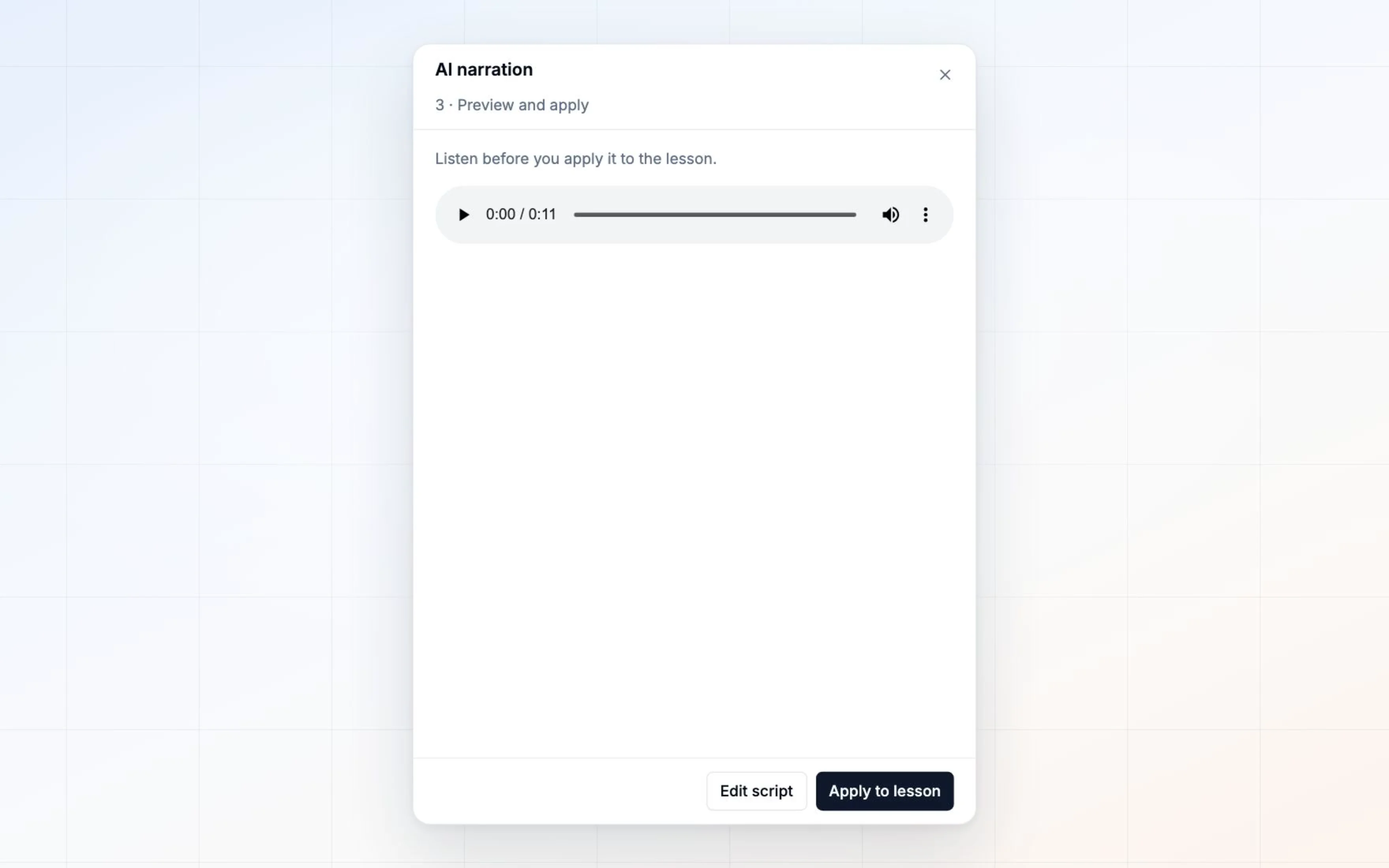
Design lesson pages by describing what you want.

  • Natural language editing — Create and modify text, images, shapes, and videos through conversation
  • AI image generation — Generate custom illustrations when stock photos won't do
  • Stock photo search — Find professional imagery without leaving the editor
  • Multi-page lessons — Create entire slide decks in one session
  • Selection-aware commands — Select elements and say "make this bigger" or "delete these"
Improved

Page Editor

Rebuilt editor with better performance and usability.

  • Templates — Start pages from pre-built layouts
  • Shape drawer — Quick access to recently used shapes
  • Drag-and-drop — Add elements directly from the sidebar
  • Context menus — Right-click for common actions
Improved

Assessments

Better tools for homework, classwork, and surveys.

  • Survey results — Full question-by-question answer breakdown
  • Homework flow — Streamlined submission and grading experience
  • CSV export — Download results for external analysis
Improved

Course Themes

Consistent visual styling across your courses.

  • Theme editor — Customize colors, fonts, and styling
  • Apply to courses — One-click theme application
  • Preview — See changes before publishing
Improved

Course Player

  • Video lessons — Better playback controls and mobile experience
  • Navigation — Smoother transitions between elements
Fixed

Bug Fixes

  • Fixed SVG shapes being cut off when borders applied
  • Fixed assessment scoring for numeric answers
  • Improved certificate editor reliability
  • Various stability improvements
API

Shopify Integration

Sell your Konstantly courses directly through your Shopify store with automatic enrollment.

New

Shopify Integration

Sell your online courses directly through your Shopify store with the new Konstantly connector app.

Read the full guide: Sell Your Online Courses on Shopify

New

Sell Courses on Shopify

Turn your Shopify store into a course marketplace.

  • Import courses — Select which Konstantly courses appear as Shopify products
  • Custom pricing — Use Konstantly prices or set Shopify-specific pricing
  • Unified storefront — Sell courses alongside physical products and services
New

Automatic Enrollment

Zero-touch automation for course access.

  • Instant access — Customers get enrolled immediately after purchase
  • New user handling — Non-existing users receive invitation emails with courses pre-assigned
  • Existing user support — Courses added directly to returning customers' accounts
New

Shopify Features Work with Courses

Leverage Shopify's full e-commerce toolkit.

  • Discount codes — Apply promotions to course products
  • Bundles — Combine multiple courses into packages
  • Email marketing — Use Shopify Email for course buyer sequences
  • Analytics — Track course sales performance in Shopify dashboard
New

Getting Started

1. Install the Konstantly app from Shopify App Store

2. Connect with your Konstantly API key

3. Import courses and start selling

AIEditorPlayer

January 2026 Updates

Korean language support, AI course creation, Visual Course Builder improvements, and enhanced assessment tools.

New

Korean Language Support

Full platform localization in Korean (한국어).

  • Complete translation — All interface elements, navigation, and course player
  • Native experience — Proper formatting for Korean text and dates
  • Expanded language support — Now available in 11 languages total
Improved

AI Course Creation

Smarter AI assistance for building courses faster.

  • AI page generation — Describe your content and AI creates structured pages
  • Image generation — Generate custom illustrations with Gemini AI
  • Chat history — Continue conversations with AI across editing sessions
Improved

Visual Course Builder

Enhanced Pathboard editor for smoother course design.

  • Simple Mode — New streamlined interface for straightforward courses
  • Template system — Start with pre-built structures and customize
  • Better connections — Improved pass/fail routing for assessments
  • Smoother editing — Eliminated visual glitches during element manipulation
Improved

Assessment Tools

Better tools for tests, surveys, and assignments.

  • CSV export — Download classwork results for external analysis
  • Unified experience — Consistent interface across all assessment types
  • Complete translations — All assessment features available in supported languages
Improved

Course Player

Enhanced learning experience with better navigation.

  • Visual navigation — Interactive course map showing progress
  • Multi-language support — Element labels and navigation in learner's language
  • Interactive content — Embedded videos and content work in preview mode
Improved

Settings & Administration

More control over your organization's setup.

  • Dynamic branding — Your brand colors throughout the entire interface
  • License management — Clear visibility into feature availability
  • Timezone selector — Searchable dropdown for easier profile setup
Fixed

Bug Fixes & Stability

  • Fixed signup flow for invite links
  • Improved SSO login reliability
  • Better error messages throughout the platform
  • Performance optimizations for faster page loads
BetaPlatformAI

Konstantly 2.0 Public Beta

Konstantly 2.0 enters public beta with a rebuilt platform, AI-powered course creation, new landing page, and free instructor accounts.

Release

Konstantly 2.0 Public Beta

After months of rebuilding from the ground up, Konstantly 2.0 is now available to everyone.

Read the full announcement: Konstantly 2.0 Is Now in Beta

New

Rebuilt Platform

Complete architecture rebuild with a focus on simplicity and control.

  • New page editor — Rich text, images, videos, shapes, and diagrams on the same surface
  • Simple Linear Mode — Straightforward course creation without visual complexity
  • Pathboard Mode — Visual canvas for branching paths and complex scenarios
  • Mode switching — Switch between Linear and Pathboard anytime
New

AI Course Assistant

AI embedded directly into the course creation experience.

  • Course generation — Describe what you need, get a complete course structure
  • Content suggestions — Smart recommendations while you work
  • Page restructuring — AI helps reorganize and improve content
New

AI Tests Assistant

Generate assessments from any content automatically.

  • Question generation — Point AI at lessons, documents, or text to create questions
  • Difficulty control — Set levels from beginner recall to advanced application
  • Question bank — Save and reuse questions across courses
  • Six question types — Multiple choice, multiple select, true/false, fill-in-the-blank, short answer, long answer
New

Expert Grading

Human review for assessments that need judgment.

  • Rubric-based grading — Clear criteria for consistent evaluation
  • Detailed feedback — Provide specific comments on submissions
  • Long-answer support — Grade open-ended responses
New

Landing Page

Completely redesigned marketing site.

  • New design — Modern, clean interface
  • Platform pages — Dedicated pages for each feature
  • Help Center — Guides, tutorials, and documentation at /help
  • Changelog — Track what we're working on at /changelog
New

Free Instructor Account

Individual instructors can now use Konstantly for free.

  • Create courses — Build and publish without upfront cost
  • Full platform access — All core features included
  • Start teaching — No credit card required
Improved

API & Integrations

  • Webhooks — Real-time event notifications
  • Zapier integration — Connect with 1,000+ apps
  • API documentation — Full reference at docs.konstantly.com
Improved

SSO

Enterprise single sign-on that works reliably.

  • Deep links — Direct users to specific content
  • Session handling — Proper redirect and state management
  • Edge cases — Fixed authentication issues that used to break
New

Bug Reporting

Built-in feedback system for beta users.

  • Report button — Click to open feedback form in the app
  • Direct communication — Reports go straight to the engineering team
  • Context included — Automatic capture of relevant details
AIEditor

December 2025 Updates

Linear Mode Course Builder, AI Assistant in Editors, Onboarding Experience, and Pathboard Templates.

New

Linear Mode Course Builder

A streamlined course creation experience for straightforward, sequential learning paths.

  • Simple linear flow — Create step-by-step courses without branching complexity
  • Mode selector — Choose between Linear (simple) or Pathboard (visual) when creating courses
  • All element types — Pages, lessons, tests, surveys, homework, and classwork in linear format
  • Mode switching — Convert existing courses between Linear and Pathboard modes
New

AI Assistant in Editors

Contextual AI chat built into the Pathboard and Test editors.

  • Content generation — Describe what you need and AI creates shapes, diagrams, and layouts
  • Test question generation — Generate quiz questions from a topic or learning objectives
  • Visual creation — Draw diagrams, flowcharts, and illustrations on the whiteboard canvas
  • Iterative editing — Refine AI-generated content through conversation
  • Image search — Find and insert relevant images using natural language
New

Onboarding Experience

Contextual guidance helping new users discover the platform.

  • Welcome checklist — Track progress through key milestones like creating your first course
  • Smart hints — Contextual arrows pointing to important features, dismissible once learned
  • Platform guide — Visual explainer for courses, elements, editors, and groups
Improved

Pathboard Templates

Start courses faster with pre-built structures.

  • Template library — Choose from assessment flows, branching paths, and certification tracks
  • Live preview — See template structure before applying
  • One-click apply — Instantly populate your course with a complete element layout
EditorPlayerAdmin

November 2025 Updates

Pathboard Editor improvements, Course Player enhancements, Design System refresh, Bug Reporting, and Authentication updates.

Improved

Pathboard Editor

Major performance and reliability improvements to the visual course builder.

  • Smooth drag-and-drop — Eliminated flickering during element movement
  • Faster connections — Optimized routing for responsive edge rendering
  • Intuitive handles — Better resize and rotation controls on hover
Improved

Course Player

Enhanced learning experience with better navigation.

  • Interactive course map — Visual navigation panel showing progress through elements
  • Multi-page lessons — Smooth navigation through lessons with many pages
  • SCORM support — Full integration for SCORM packages with upload functionality
  • PDF/PPT imports — Improved document handling with transparent slide backgrounds
New

Design System Refresh

Refined interface following modern design patterns.

  • Modern notifications — Consistent toast design across the platform
  • Dynamic branding — Custom organization colors throughout the interface
  • Unified components — Standardized empty states, modals, and forms
New

Bug Reporting

Built-in feedback for reporting issues directly from the platform.

  • Direct integration — Reports create issues in our tracking system automatically
  • Context capture — Includes page and browser information
Improved

Authentication

Smoother login experience across all access methods.

  • SSO reliability — Resolved redirect issues and session handling
  • Deep link support — Direct URLs work correctly through authentication
AIEditor

Konstantly AI Assistant Release

Create courses, tests, and visual content using natural language with the new AI Assistant.

New

AI Assistant

Generate complete learning content by describing what you need.

  • Course generation — Describe your topic and get a structured course with lessons, tests, and assessments
  • Test creation — Generate quiz questions from learning objectives or topic descriptions
  • Visual content — Create diagrams, flowcharts, and illustrations on the whiteboard canvas
  • Iterative refinement — Chat with the AI to adjust and improve generated content
New

Media Library

Find and insert rich media directly in your courses.

  • Image search — Browse Unsplash and Google Images, or generate images with AI
  • Video embedding — Search and embed YouTube and Vimeo videos
  • Easy uploads — Drag and drop files directly into the course builder
New

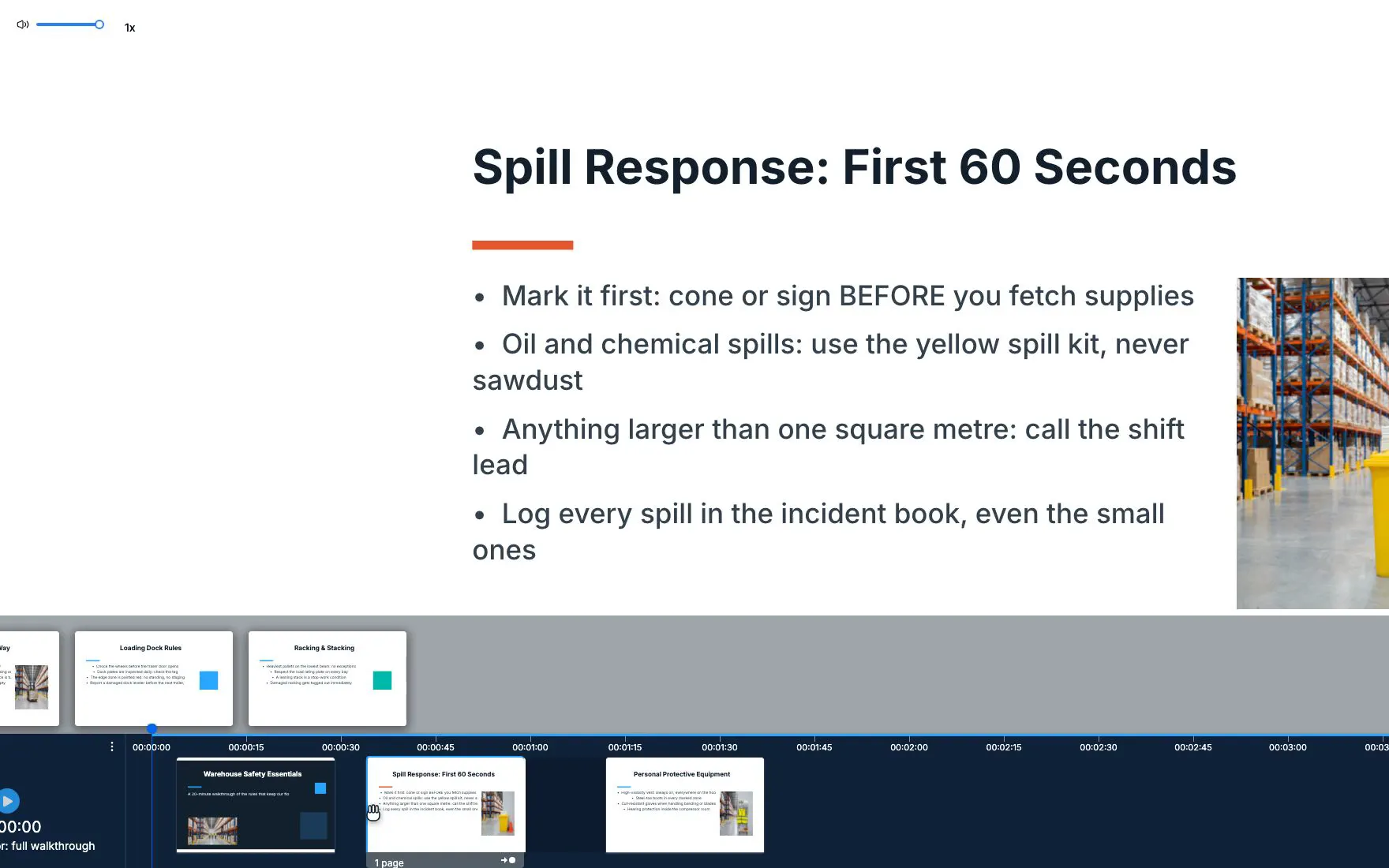
Video Lesson Studio

Create synchronized video lessons with slide content.

  • Timeline editor — Align slides with video playback timestamps
  • Sticky playback — Video follows as learners scroll through content
  • Auto-advance — Slides change automatically based on video position
Improved

Course Player

Enhanced learning experience for AI-generated and traditional courses.

  • Better thumbnails — Course previews update automatically
  • Certificate support — Issue certificates for AI-authored courses
  • Activity tracking — Detailed analytics with progress charts and leaderboards
Editor

Canvas Rewrite & Pathboard 2.0

React Flow Pathboard with worker-backed A* routing, keyboard shortcuts, and contextual hints for visual course building.

New

Pathboard Features

  • Eleven curriculum elements with homework/classwork defaults
  • Import nodes with upload progress tracking
  • Draggable toolbar/zoom with clipboard & position memory
  • Validation panel catching unreachable nodes or missing finals before publish
New

Import & Content Pipelines

  • SCORM/PPT/PDF import service with progress callbacks
  • Existing course structures load directly into Pathboard 2.0
  • Content pipelines preserved for uploads, screenshots, and exports
  • Analyst-friendly APIs for downstream automation
Admin

Team Operations Migration

Users, groups, invitations, and imports rebuilt with React Query data flows, modern UI components, and extensive behaviour checks.

Improved

Team Management

  • Fast filters and live updates across users, groups, invites, and imports
  • Course chains & journeys with filterable program grid
  • Duplication, assignment status badges, and bulk actions
  • MSW-backed test suites to guarantee behaviour consistency
Improved

Branding & Certificates

  • BrandingStyles runtime theming restores customer colors/logos
  • Tailwind-driven components replace older styles
  • Certificate studio foundations with template selector
  • Expiration rules and live preview

Voulez-vous voir ces fonctionnalités en action ?

Commencez à créer votre premier cours dès aujourd'hui avec un essai gratuit.