Switch Between Konstantly 2.0 and Classic
Switch your LMS between Konstantly 2.0 Beta and Classic 1.0 at any time
Overview
Konstantly offers two platform versions:
| Version | Domain | Description |
|---|---|---|
| Konstantly 2.0 Beta | yoursite.konstantly.ai | Modern interface, AI-powered tools, improved performance |
| Classic 1.0 | yoursite.konstant.ly | Stable, familiar interface |
Both versions share the same database, so all your data (courses, users, progress) is preserved when switching.
Benefits of Konstantly 2.0 Beta
- Modern, refreshed interface
- AI-powered content creation tools
- Improved performance
How to Switch Versions
Step 1: Access Version Switch
- Log in to your Konstantly account
- Go to your instance dashboard
- Find the version switch link:
- If on Classic: Click "Try Konstantly 2.0"
- If on 2.0: Click "Switch to Classic"
Step 2: Review Changes
A popup will show:
- Your new site URL after switching
- Benefits (if upgrading to 2.0)
- Option to create a backup
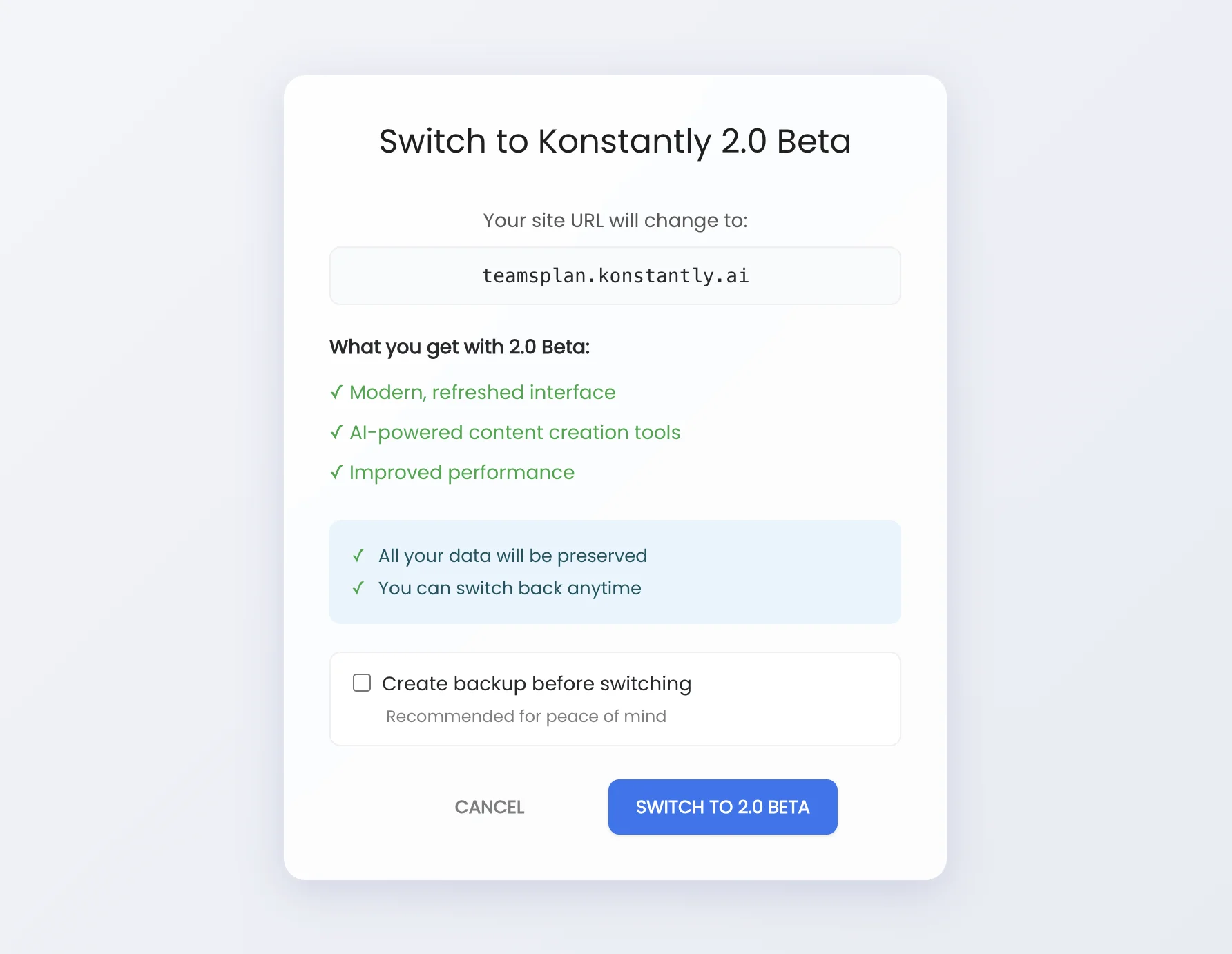
Step 3: Choose Backup Option (Optional)
Check "Create backup before switching" if you want a safety snapshot of your database before the switch.
Step 4: Confirm Switch
Click the switch button to proceed. The process takes a few seconds:
- Creating backup (if selected)
- Updating configuration
- Applying changes
Step 5: Access Your New URL
Once complete, you'll see your new site URL. Click "Open Site" to visit it, or "Done" to close the popup.
What Happens When You Switch
- Your URL changes: From
yoursite.konstant.lytoyoursite.konstantly.ai(or vice versa) - All data is preserved: Courses, users, progress, settings – everything stays the same
- Old URL redirects: Anyone visiting your old URL will be automatically redirected to the new one
- Custom domain keeps working: If you have a custom domain set up, it continues to work normally
Switching Back
You can switch back to your previous version at any time by following the same steps. There's no limit to how many times you can switch.
FAQ
Will I lose any data when switching?
No. Both versions share the same database, so all your courses, users, progress, and settings are preserved.
Will my users need to do anything?
No. Your users will be automatically redirected to the new URL. Their login credentials and all progress remain the same.
What happens to links I've shared?
Links to your old domain will automatically redirect to your new domain. Bookmarks and shared links will continue to work.
Should I create a backup before switching?
It's optional but recommended for peace of mind. Even without a backup, switching is fully reversible – you can always switch back.
How long does switching take?
The switch typically completes in a few seconds. If you choose to create a backup, it may take slightly longer depending on your database size.
Can I switch while users are active on my site?
Yes, the switch is seamless with no downtime. Users may need to refresh their browser to see the new interface.
Will my custom domain still work?
Yes. If you have a custom domain configured, it will continue to work after switching versions.
What's the difference between the two versions?
| Feature | Konstantly 2.0 Beta | Classic 1.0 |
|---|---|---|
| Interface | Modern, refreshed | Familiar, stable |
| AI Tools | Yes | No |
| Status | Beta (features may be refined) | Production-ready |