How to ask Claude about your training data
Konstantly now ships an MCP server, so Claude Desktop, Cursor, and any AI agent can query your training data and take action – with your exact permissions.

Most learning platforms make you do the thing the wrong way around.
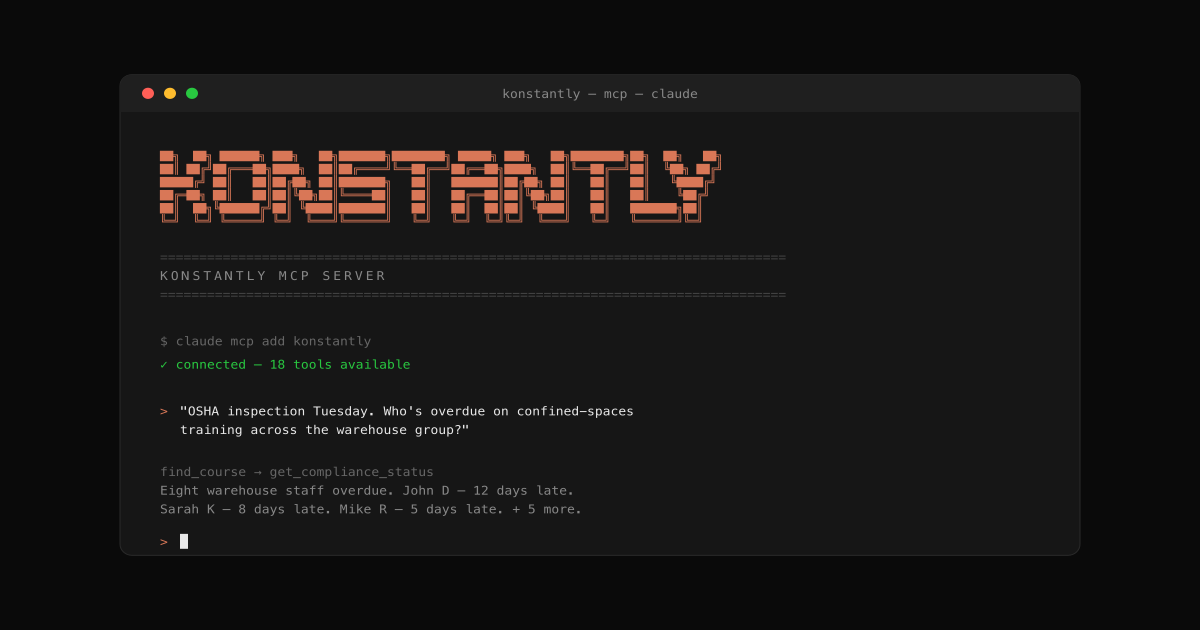
If you're a compliance officer prepping for an OSHA inspection on Tuesday, you don't want to navigate to a training dashboard, select a course, filter by group, export to CSV, reformat in Excel, then email the result. You want to say "Pull a compliance report for OSHA confined-spaces training across all warehouse staff over the last 12 months – format it for the inspector" and have it just exist. For the first time, you can.
As of today, Konstantly ships an official MCP server: @konstantly/mcp-server. If you use Claude Desktop, Claude Code, Cursor, or any AI agent that speaks the Model Context Protocol, Konstantly is now one of its tools. Ask it about your training data in plain English, and it answers from your real workspace, with your real permissions. Here's what this changes, what it looks like in practice, and where it goes from here. See Introducing Ask Konstantly for what the assistant does inside the platform.
The problem dashboards have that asking Claude doesn't
Every dashboard ever built has the same flaw: it's structured around what the platform thinks you want to know instead of what you actually want to ask.
OSHA inspection coming up? Open the compliance dashboard. Click compliance. Filter by course. Filter by group. Filter by date. Hope the filter combinations exist. Try to export. Try to combine three exports. Reformat in Excel. The platform makes you reverse-engineer your question through someone else's UI. (For more on the underlying process, see our compliance training best practices guide.)
The result is a tax – five to fifteen minutes per question, every time, for every person on your team – that compounds into entire days of unproductive work per month across an organization. And it's friction that pushes people to not ask in the first place, which is worse than the time cost. Questions that would've improved decisions just don't happen.
Asking a question in natural language to a model that has access to your data eliminates the tax. The hit rate isn't 100%, but the cost of a bad question is now milliseconds (you re-phrase), not minutes (you re-navigate).
What MCP actually is
MCP – Model Context Protocol – is an open standard Anthropic introduced in late 2024 for connecting AI agents to outside systems through a common interface. Think of it as a universal port for AI: any tool that speaks MCP can plug into any service that exposes an MCP server.
Today that includes:
- Claude Desktop (macOS, Windows)
- Claude Code (the CLI)
- Cursor (the AI-first code editor)
- A growing list of community agents and internal company bots
ChatGPT MCP support is on the way. Other vendors will follow – once a protocol like this gets adopted, the network effects are strong.
The big idea is that we don't have to write a new integration for every AI tool that comes along. We ship one MCP server. It works in every MCP-aware client today, plus every one that ships next year.
For our customers, that means: install Konstantly into your AI tool once. It stays compatible with whatever tool you switch to, whatever competitor displaces them next year. You're not betting on Anthropic. You're betting on a protocol.
Scenarios that are already live
What follows isn't roadmap talk. These work, right now, on any Konstantly Business or Enterprise tenant once you install the MCP server (5 minutes – see the setup guide).
1. Compliance audit prep
"I have an OSHA inspection on Tuesday. Show me everyone in the warehouse group who's overdue on confined-spaces training, with their managers' emails, sorted by how overdue they are."
The agent calls find_course (to resolve "confined-spaces"), get_compliance_status scoped to the warehouse group, then formats the result. Total time: under 10 seconds. What used to be a 20-minute dashboard expedition is now a sentence.
2. Onboarding automation
"Sarah Chen starts Monday. Assign her the new-hire bundle, the role-specific safety training for warehouse staff, and the IT security refresher – all with deadlines two weeks out."
Three calls to find_course, three calls to assign_training. Done in one breath, audited in the platform, deadlines enforced.
3. Weekly leadership digest
"What training was completed last week across the whole company? Who's behind? Format it as a 4-bullet executive summary."
The agent calls get_statistics and get_compliance_status, then writes the summary. Sent to the CEO's inbox Monday morning, every Monday, by an agent the CEO doesn't have to think about.
4. Certification expiry forecasting
"What's expiring in the next 60 days? For each, schedule the recertification course two weeks before the expiry date."
list_certificates for the relevant users, then assign_training with deadlineAt set per certificate. The kind of meticulous work that gets forgotten when humans do it manually.
5. The IT manager's Slack bot
For teams running internal Slack bots powered by Claude, the bot can now answer questions like "Has Sarah completed her HIPAA training?" directly from a Slack thread, with access to live Konstantly data.
This last one is interesting because it shows what changes when MCP is involved: customer support that used to mean "open the platform and look this up" now happens in the same place the question was asked. The friction between "wondering" and "knowing" shrinks to seconds.
The 25 tools that ship today
The MCP server exposes 25 distinct tools, filtered automatically by your plan and your role:
Read tools (Business and Enterprise):
| Tool | What it does |
|---|---|
find_user, get_user | Look up users by name/email |
find_course, get_course | Look up courses by name |
list_assignments | What is X assigned (per user or per group) |
list_my_assignments | What I personally owe |
get_compliance_status | The OSHA-audit / "who's compliant?" tool |
list_certificates | Including expiry dates |
get_statistics, get_leaderboard | Engagement, completion, top performers |
get_audit_log | Who did what, when |
Write tools (Business and Enterprise):
| Tool | What it does |
|---|---|
assign_training, bulk_assign, assign_chain | Assign single courses, whole groups, or full learning paths |
ban_user, unban_user, change_user_email | Offboarding hygiene |
clone_course | Fork a course for a new audience or location |
Each tool maps to an existing Konstantly REST endpoint with the same permissions. The MCP server is a thin adapter – your existing permission system, audit log, license tiers, and rate limits all apply unchanged. A learner-issued MCP key cannot read admin data, just like a learner can't see admin data in the browser. Permissions are inherited from the user who issued the key.
The complete reference, with input schemas and example prompts, lives in our API docs.
The agent can build the course itself
The most interesting tool in the catalog isn't a read or an admin action – it's the one that lets the agent author new training content, building on the same generation engine behind Konstantly's AI course assistant:
"Take this OSHA PDF I just dropped into Claude – it's for confined-spaces safety. Build a course for warehouse staff. 8 modules + a final quiz."
Behind the scenes:
- Claude calls
upload_source_materialwith the PDF path. Konstantly extracts the text, chunks it, and embeds it. - Claude calls
create_course_from_fileswith the prompt and yoursessionId. The server queues a generation job. - Claude polls
get_course_generation_statusevery few seconds until status iscompleted. - You get a
courseId. Open it in Konstantly to review.
One prompt. One PDF. A structured course with lessons, pages, and a quiz – grounded in your source material, ready to assign. This used to be a 4-hour task for an L&D specialist. It's now a 30-second prompt.
We're calling this AI-native course creation for a reason. It's not "AI helps you build a course faster." It's "the agent IS the course author, and you're the editor reviewing what it produced."
The MCP server now covers four loops:
- Read your data – compliance status, certificates, statistics, assignments.
- Take administrative actions: assign training, change emails, offboard users, clone courses.
- Author new training content: generate a complete course from a prompt or a PDF.
- Iterate without leaving Claude: add new sections to an existing course, rewrite a question that landed wrong, refresh a lesson's brief. All without opening the platform editor.
The fourth loop is what makes "AI-native LMS" feel like a tool, not a trick. The agent doesn't just hand you a course; it can keep working on it.
Here's what iteration looks like in a real session:
"Looks good but it's missing emergency rescue procedures. Add a section on rescue at the end before the final quiz."
Claude calls refine_course with that exact feedback. The append-only refinement adds the new section without touching anything you already approved. A few seconds later you have a longer course, same name, same edits-so-far intact.
"Question 5821 is too easy. Make it harder."
Claude calls regenerate_question. The question gets rewritten on the same concept with tougher distractors; the previous version is preserved in your audit log for review.
A few honest notes on the AI tools:
- Included with Business and Enterprise at no extra charge. A per-tenant kill-switch exists for abuse mitigation if needed.
- Shared rate limit: 5 AI calls per key per day, 50 per tenant per day. Generation and refinement share the same bucket; each call counts as one regardless of which tool fired it.
- Safe by construction:
refine_courseis append-only (never modifies existing content).regenerate_questiononly replaces the targeted question.regenerate_lessononly updates the lesson brief – pages you've already created in the editor stay untouched. - Async generation, sync refinement: initial generation takes 10–30 seconds via a background job. Refinement and per-element regeneration are faster (~5–10 seconds) and return synchronously.
Getting started
The full setup is in our step-by-step guide, but the short version is:
- Go to Settings → MCP Keys in your Konstantly workspace (Business or Enterprise plan required)
- Click Generate key: copy the
kmcp_...value once - Paste a tiny config block into your AI tool:
{
  "mcpServers": {
    "konstantly": {
      "command": "npx",
      "args": ["-y", "@konstantly/mcp-server"],
      "env": {
        "KONSTANTLY_MCP_KEY": "kmcp_...",
        "KONSTANTLY_URL": "https://your-instance.konstantly.com"
      }
    }
  }
}
- Restart your AI tool
- Ask it something
Five minutes from cold-start to first useful answer.
A note on security
The thing customers ask about more than features: "What happens if the key leaks?"
Three layers protect you:
- Same permissions as the browser UI. A leaked MCP key can do nothing the issuing user can't do in the browser. A learner's key reads learner-scoped data only. An admin's key can do admin things. There's no MCP-specific permission elevation.
- Revocable in seconds. Spot a key in someone's stolen laptop / a public git commit / your nightmare? Open Settings → MCP Keys, click revoke. The key dies within seconds. Every agent using it 401s on the next call.
- Audited. Every write tool call writes a
MCP_TOOL_CALLevent to the audit log alongside the action's normal event. You can run "show me everything an agent did last quarter" as a SQL filter on event type 88.
We also rate-limit per key (Business: 60/min; Enterprise: 600/min) and per-IP on failed authentication (10 fails/min – blocks brute-force enumeration). The full security model is documented here.
Try it
If you're a Business or Enterprise customer, you can install in five minutes and start asking questions today. The setup guide walks through Claude Desktop, Claude Code, and Cursor – and the full tool list lives in the docs.
If you're evaluating learning platforms and MCP support is on your shortlist, check our pricing or start a 14-day free trial – no credit card required.
Read more: