Changelog

What's new in Konstantly? Stay up to date with the latest features, improvements, and fixes.

NewPlatform

The Video Guide Library

26 short product films – one to two minutes each – now live in the Help Center and inside the app, exactly where each one is relevant.

Reading about a feature and watching it are different things. There are now 26 short films – each one to two minutes, narrated and captioned – covering course building, the editors, assessments, analytics and admin work.

They live in three places: a new video index in the Help Center, at the top of the guide articles they belong to, and inside the app itself, surfaced at the moment they're relevant – a "watch how it works" link right on the add-branching banner, and on the empty state of a feature you've just opened for the first time.

Everything is self-hosted. No third-party cookies, no consent banner, and the films play inside the corporate networks that block video sites – which is where a good share of training admins actually work.

Improvements4
  • Help Centera new video index at /help/videos – all 26 films in five sections, with your progress remembered
  • Help Center34 guide articles now open with a matching film
  • In-appguide videos appear where they're useful – on the home page, in the Get Help menu, and at decision points like adding branching
  • Playbackfilms are self-hosted with captions – no third-party cookies, and they play on networks that block video sites
NewAIEditorPlayer

AI Narration for Video Lessons

Turn a written lesson into a narrated one – draft the script from your slides, pick a voice, and generate the voiceover without leaving the editor.

AI Narration for Video Lessons
Draft the script from the lesson itself, pick a voice, generate

Some lessons deserve a voice, and most teams don't have a recording booth. Video lessons can now narrate themselves: open the narration panel, draft a script from the lesson's slides – or write your own – pick a voice, and generate.

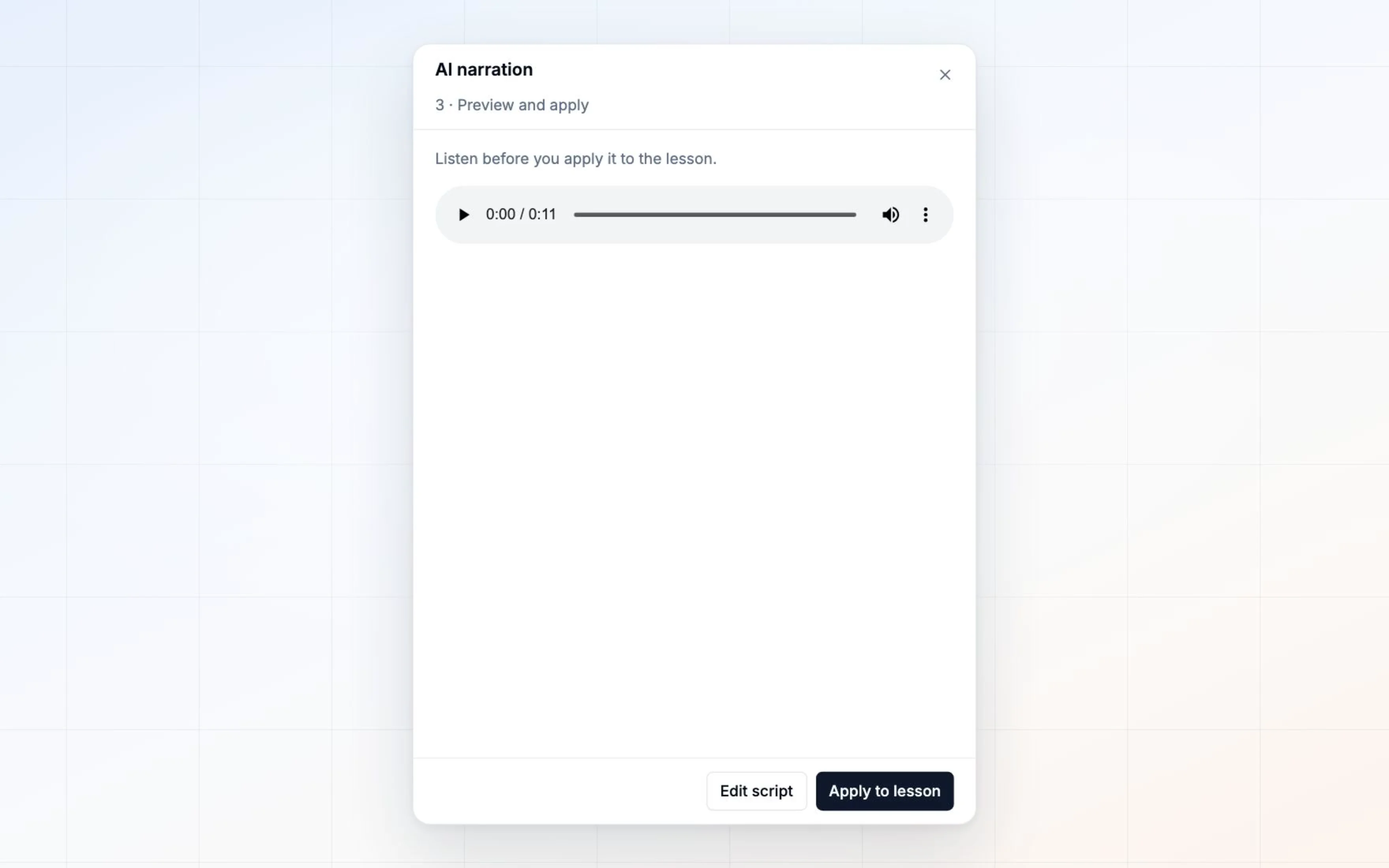
You hear the result before it touches the lesson. Applying it is a separate, deliberate click, so nothing is ever overwritten unheard.

What learners watch while it plays

An audio-only lesson used to show learners nothing at all. Now the narration carries a presenter, and you pick which kind before you generate.

A mark in your brand colour – a waveform or a soft pulse, drawn from the narration's own amplitude, so it goes still when the voice pauses. It isn't decoration pretending to be in sync; the motion is the audio. It costs nothing, works on any plan, and you can change it afterwards as often as you like.

Or one of twelve presenters, lip-synced to your narration. They are generated people – not actors, not stock photography, and nobody real. Each is a video render billed to your own ElevenLabs account, so the tile says Paid before you choose it, and it needs ElevenLabs Pro or above. Pick the person before you generate: unlike a mark, it is part of the generation, so changing your mind later means generating again.

If a person render fails, the narration survives – you keep the audio and the lesson plays with it.

You stay in control of the spend. Narration runs on your own ElevenLabs API key, connected by your admin in Settings → AI, with per-workspace enablement and daily limits per author and per account. The script's length and estimated audio duration are shown before the one button that spends anything. Contact us to switch it on for your workspace.

Improvements6
  • Narrationdraft a script from the lesson's own slides, edit it, and generate the voiceover in one panel
  • Narrationpick from a set of natural voices, with an audio preview before you commit
  • Narrationchoose what learners see – a mark in your brand colour, drawn from the narration's own amplitude, at no extra cost
  • Presentersor one of twelve lip-synced people, chosen before you generate. Generated faces, nobody real. A video render on your own ElevenLabs key, Pro or above, and the tile says Paid before you pick
  • Narrationgenerated audio saves to your gallery, so it's yours to reuse
  • Adminenable AI narration per workspace, connect your own ElevenLabs key, and set spend limits – you control every credit
ImprovedPlatformAdminEditor

Branded Emails, in 14 Languages

Every platform email rebuilt with your branding and delivered in the recipient's language – and Arabic and Urdu bring the interface to 14 languages with full right-to-left support.

Two changes this summer are worth reading past the list.

Every message the platform sends – invitations, assignments, reminders, certificates, homework notifications – was rebuilt on a single branded template that carries your logo, your colors and your footer, and is delivered in the recipient's language rather than yours. Certificates now arrive as a PDF attachment and can be re-issued from the certificate page without recreating anything.

And Arabic and Urdu join the interface, bringing it to fourteen languages. Both ship with full right-to-left layout – the interface genuinely flips, rather than putting right-to-left text in a left-to-right frame.

The rest is smaller but real: shareable links that open on the exact lesson, AI edits that undo in one keystroke instead of thirty, full-resolution generated images, and a Skills report that finally exports.

Improvements9
  • Emailevery platform email rebuilt on one branded template – your logo, your colors, your footer
  • Emailnotification text arrives in the recipient's language, right-to-left included
  • Emailcertificates attach as a PDF, and can be re-issued to a learner from the certificate page
  • LanguagesArabic and Urdu bring the interface to 14 languages, with full right-to-left layout
  • Course playera link to a specific lesson opens on that lesson
  • Editoran AI edit undoes as a single step, and new zoom controls help with detailed layout work
  • AIgenerated images arrive at full resolution, and an entire course's pages can be filled in one pass
  • Statisticsthe Skills report exports to CSV
  • Sellingcard disputes on course sales are recorded and reported – learner access is never revoked automatically
Fixes4
  • Userscustom-attribute filters now filter, on every list that offers them
  • Emailthe homework notifications that were built but never delivered now send
  • Audit logfilter labels match the rows they return
  • Video lessonspage layouts persist, undo behaves, playback speed applies, and a page that fails to load offers a retry
NewEditorAI

A Simpler Way to Build a Course

New courses start as a straight sequence of pages – add branching only when your content actually needs it. Plus an Ask Konstantly that asks better questions and keeps working after the course exists.

Most courses are a straight line. Page, page, quiz, done. Until now, every one of them started on a branching canvas – a decision about course architecture, before a single word of content existed.

That's backwards, so we turned it around.

Start simple. Branch when it matters.

New courses now open as a simple sequence: add a page, add another, add a quiz. No canvas, no connections, no layout.

When your content genuinely needs to fork – a different path for managers, a remedial loop after a failed test – Add branching promotes the course to the full canvas with everything you've already built intact.

Going back is just as safe. A branching course converts back to linear only when nothing would be lost, and when it can't, it tells you exactly which branch is in the way instead of refusing with a shrug.

A better conversation

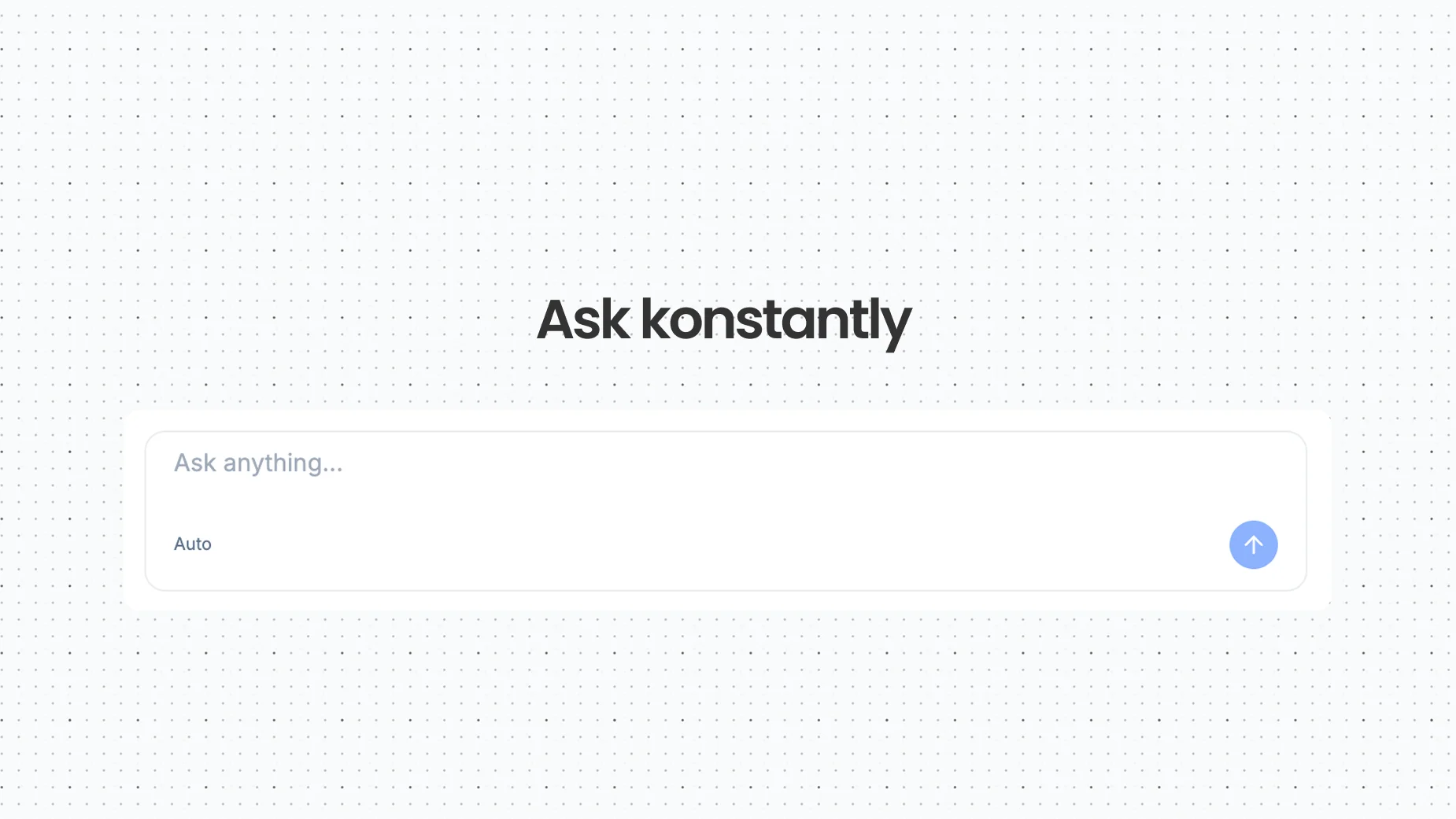
Ask Konstantly got faster at the part that matters most – understanding what you actually asked for.

  • Any language: describe your course in the language you think in; intent is recognised across every interface language
  • Questions that adapt: the guided flow responds to what you've already told it rather than working through a fixed list
  • Refinement after the fact: the conversation doesn't end when the course appears. "Add a section on returns." "Make lesson 3 harder." "Rewrite question 2 – it's ambiguous." Same chat, existing course.

A first day that explains itself

The setup checklist became a floating guide that travels with you across the platform, so the next step is always visible without going back to a dashboard. First-run tours cover the canvas and the page editor, and the Getting Started video guides are one click from the home page.

Improvements10
  • Course creationnew courses start as a simple sequence – there's no canvas to learn before your first course
  • Course creation'Add branching' promotes a linear course to the full canvas the moment you need it
  • Course creationconverting back to linear happens only when nothing would be lost – and explains precisely what's in the way when it can't
  • Ask Konstantlyunderstands what you're asking for in every interface language, not only English
  • Ask Konstantlyguided questions adapt to the answers you've already given instead of marching through a fixed list
  • Ask Konstantlykeep refining after the course exists – 'add a section on returns', 'make lesson 3 harder' – from the same chat
  • Pathboardundo with Cmd+Z
  • Pathboardpublishing shows its progress instead of leaving you watching a silent button
  • Onboardinga floating setup guide replaces the old checklist card and follows you across the app
  • Onboardingfirst-run tours in the canvas and the page editor, plus Getting Started video guides
NewEditorPlayer

Video Lessons

Sync your slides to a video timeline – upload a recording or paste a YouTube link, then decide exactly what appears on screen and when.

Video Lessons
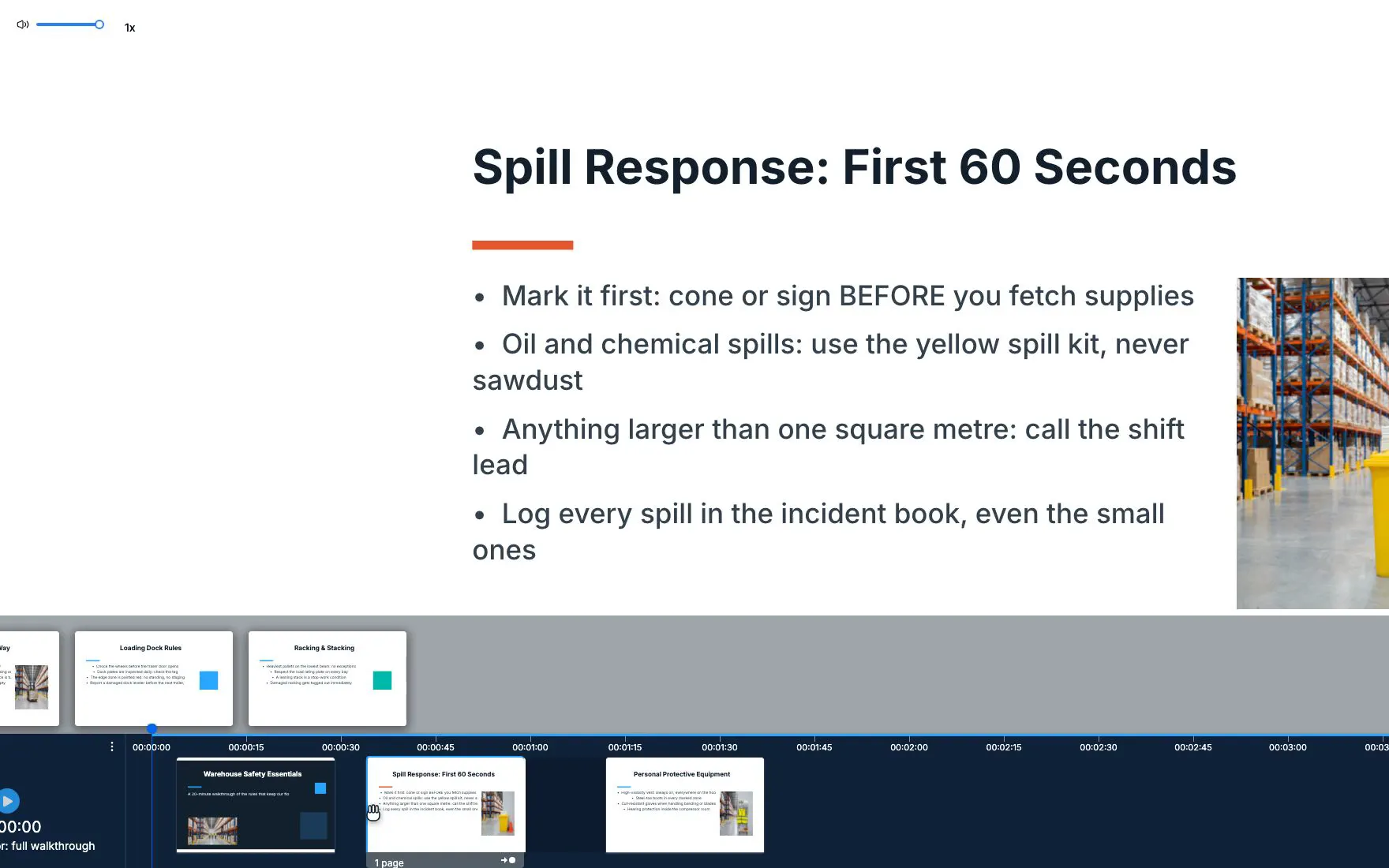
Pages are placed against the video's timeline, not the other way around

A recorded session is the fastest content you will ever produce and the hardest to learn from. Sixty minutes of talking, one flat progress bar, and a slide deck that lives somewhere else entirely.

Video Lessons puts the two back together. Upload the recording – or paste the YouTube or Vimeo link you already have – and place your pages along the video's timeline. The video plays, and the right page is on screen at the right moment.

Built around the timeline

Pages are positioned against the footage, not beside it.

  • Drag to place: drop a page onto the timeline and it pins to that second
  • Even distribution: twelve pages across a fourteen-minute talk, spaced for you
  • Fixed interval: a page every ninety seconds, if that's the shape of your material
  • Unbound tray: pages you haven't timed yet stay visible instead of disappearing

A frame that stays on screen

The video plays in a compact frame that floats above the lesson page rather than sitting inside it, and learners can drag it to whichever corner is out of the way. They keep watching while they read.

Your rules for how it plays

Two settings per lesson, because compliance content and onboarding content deserve different answers:

  • Auto-play: start the moment the lesson opens, or wait for a deliberate click
  • Skip forward: let learners move ahead freely, or require they actually watch it

Everything else behaves the way the rest of the player does: keyboard shortcuts for play, mute, fullscreen and seeking; a failed load that offers a retry instead of a dead end.

Full walkthrough in the Video/Audio Lessons guide.

Improvements8
  • Video lessonsupload audio or video, or paste a YouTube or Vimeo link
  • Video lessonsdrag pages onto the timeline to pin them to exact timestamps
  • Video lessonsdistribute pages evenly across the video, or set a fixed interval, in one click
  • Video lessonsthe video plays in a floating frame learners can drag to any corner
  • Video lessonsunbound pages stay in a tray until you place them – nothing goes missing
  • Video lessonsper-lesson settings for auto-play and whether learners may skip forward
  • Course playerkeyboard controls throughout – play/pause, mute, fullscreen, timeline seek
  • Course playera failed video retries instead of dead-ending, and page navigation stays in step with the footage
NewAIAPIPlatform

Konstantly MCP Server

Connect Claude Desktop, Claude Code, Cursor, or any MCP-aware AI agent to your Konstantly workspace – with the same permissions as the browser UI.

Konstantly MCP Server
Ask your training data instead of clicking through it

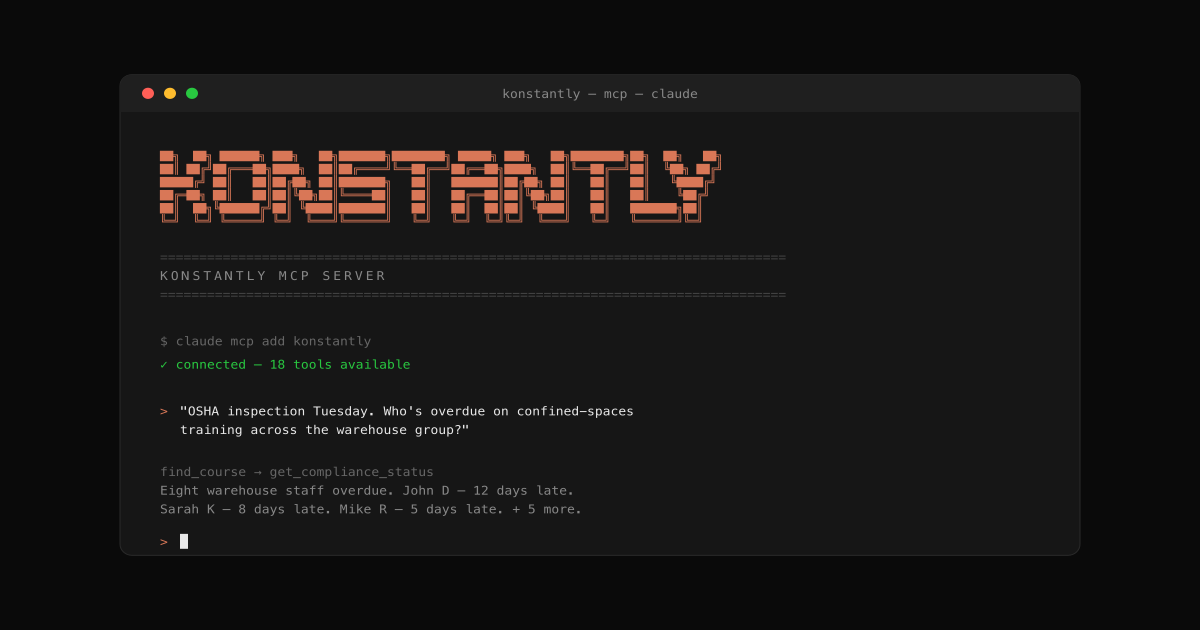
Most learning platforms make you do things the wrong way around. You start with a question – "who's overdue on confined-spaces training across the warehouse group?" – and end up reverse-engineering it through filters and CSV exports.

Today we're shipping the Konstantly MCP Server, so any AI agent that speaks the Model Context Protocol – Claude Desktop, Claude Code, Cursor, internal Slack bots, ChatGPT when it lands – can answer that question directly from your workspace, with your real permissions.

Install in five minutes, ask in plain English, get a real answer.

What you can do today

  • Compliance audit prep: "OSHA inspection Tuesday. Show me everyone overdue on confined-spaces training, sorted by how overdue they are."
  • Onboarding automation: "Sarah Chen starts Monday. Assign the new-hire bundle plus warehouse safety, due in two weeks."
  • Certification forecasting: "What's expiring in the next 60 days? Schedule recerts two weeks before each expiry."
  • Weekly leadership digests: "What training was completed last week? Format as a 4-bullet exec summary."
  • Build a course from a PDF: "Take this OSHA confined-spaces SOP. Build a 5-lesson course for new warehouse hires, one quiz per lesson, plus a final assessment."
  • Iterate without leaving Claude: "Course 412 is missing emergency rescue procedures. Add a section before the final quiz. Also question 3 in lesson 2 reads ambiguous – rewrite it."

The full tool list, install snippets, and security model are in the setup guide and the technical reference.

Read the full story: How to ask Claude about your training data.

Improvements9
  • MCPofficial npm package @konstantly/mcp-server – installs in five minutes in Claude Desktop, Claude Code, or Cursor
  • MCP25 tools covering user lookup, course search, compliance reporting, certificates, statistics, assignments, offboarding, AI course generation, and AI refinement
  • MCPAI course generation – let the agent build a complete course from a plain-English prompt or a PDF / DOCX / image, grounded in your source material
  • MCPAI course refinement – append new sections to an existing course, rewrite a single quiz question, or refresh a lesson's brief, without ever opening the editor
  • MCPper-user keys with read-only and read+write scopes, gated by license tier (Business and Enterprise)
  • MCPpermissions inherited from the issuing user – no parallel permission system, no escalation surface
  • MCPevery write action lands in your audit log alongside the equivalent UI event, so compliance reports keep working unchanged
  • MCPbrute-force resistant – failed-auth attempts throttle per source IP and per-key quotas enforce predictable usage
  • Settingsnew MCP Keys page for issuing, naming, and revoking keys – full key shown only once at creation
NewAPIPlatform

Sell courses with Stripe

Connect your own Stripe account, set per-course pricing, and sell directly from Konstantly – zero commission, instant enrollment.

Sell courses with Stripe
Sell courses directly from your Konstantly workspace with your own Stripe account

Read the full story: Sell your courses with Stripe.

Konstantly now ships with a built-in Stripe integration. Connect your own Stripe account once and you can start selling individual courses directly from your workspace – no separate platform, no marketplace middleman, and no commission to Konstantly.

Each course gets its own price (USD, EUR, or GBP), a shareable purchase link, and an embed code for your website. Buyers check out through Stripe's hosted checkout page, and the moment payment clears, Konstantly enrolls them automatically – even if they didn't have an account before.

Two ways for learners to buy

  • Public checkout: share the purchase link anywhere; buyers enter their email, pay, and get an invitation email with the course pre-assigned
  • Logged-in checkout: existing learners see a Buy button on any paid course they don't own; one click → checkout → instant enrollment

Both flows use Stripe Checkout, so your buyers see the familiar PCI-compliant Stripe payment form. You never handle card details directly.

Setup in three steps

  1. Get your Publishable and Secret keys from your Stripe Dashboard
  2. Paste them into Settings → Integrations → Stripe in Konstantly
  3. Set a price on the courses you want to sell

The full setup walkthrough – including test mode, refunds, and currency notes – is in the Sell Courses with Stripe guide.

Improvements8
  • Stripeconnect with your own Publishable and Secret keys – no marketplace middleman
  • Stripeper-course pricing in USD, EUR, or GBP with one-click currency selection
  • Stripeshareable purchase link and embed code generated automatically for each paid course
  • Stripepublic checkout flow – buyers don't need an account first, they're invited after paying
  • Stripeexisting learners see a Buy button on paid courses they don't yet own
  • Stripeinstant auto-enrollment after payment clears, with confirmation emails
  • Striperefund detection – refunded purchases are marked automatically in your records
  • Stripezero commission on course sales – full payment goes from Stripe to your bank account
NewAIAnalytics

Introducing Ask Konstantly

A single AI assistant across the entire platform – create courses, generate tests, get help, and navigate from one chat.

Introducing Ask Konstantly
Ask Konstantly works in every editor on the platform

Building a course used to mean clicking through editors and writing quiz questions one by one. Today we're shipping a single AI assistant that works everywhere on the platform – describe what you need, and Ask Konstantly handles the rest.

It's the same chat on the Home page, the Pathboard, the Test Editor, the Survey Editor, and the Slide Editor. It remembers what you built last week, knows your content, and can take action – not just answer questions.

Create courses from a conversation

Describe what you need and Ask Konstantly builds the structure, populates the pages, and wires everything together.

  • Full courses: answer a few guided questions and get a complete course with structure and content
  • Tests: 6 question types: choice (single or multiple), yes/no, short text, text gap, matching, ordering
  • Surveys: 5 question types including matrix and essay
  • Slide content: page titles, key points, and summaries written for you
  • Content from URLs: paste a link and Ask Konstantly uses the page as source material

Semantic memory across sessions

Ask Konstantly remembers past conversations by meaning, not keywords.

Say "make another course like the sales one" and it finds the course you mean. Say "continue what I was working on" and it picks up where you left off. Multi-turn refinement – "make it harder" or "add a final exam" – builds on what was already generated, so you can iterate without starting over.

Help and navigation, in chat

Ask about any feature and get an answer instead of hunting through docs.

Ask Konstantly indexes the entire help center, surfaces relevant articles in chat with links, and can navigate you anywhere by description. Say "invite [email protected]" and the invite form opens with the data already filled in.

Content insights

A new Insights tab on the Statistics page surfaces what's working and what isn't.

  • Hardest questions: quiz questions with the highest failure rate
  • Lowest completion courses: where learners drop off
  • Toughest tests: assessments with the lowest pass rates

Each insight is color-coded by severity and links straight to the content that needs attention.

Chat history

Conversations now persist across sessions. They're saved to the sidebar and the Home page, restorable with one click, exportable as markdown, and deletable from a hover menu.

Read the full story: Introducing Ask Konstantly

Improvements7
  • Slide editorAI content brief banner appears when a course is created via chat – one click generates the page content
  • Slide editorchat panel opens automatically when an AI brief is available
  • Slide editortext shapes stay within bounds when editing
  • Slide editorcontext menu appears above all editor overlays
  • PathboardAI-generated courses create proper connections between elements
  • Pathboardquiz elements display correctly on the canvas
  • Pathboardcertificate elements create without errors
NewAPIPlatform

Konstantly is now on Zapier

Connect Konstantly to 8,500+ apps and automate user provisioning, course assignments, and completion notifications – no code required.

Konstantly is now on Zapier
Konstantly is now live on the Zapier marketplace in public beta

Read the full story: Konstantly is now on Zapier.

Konstantly is now available on the Zapier marketplace in public beta. Connect your account once and you can wire Konstantly into 8,500+ other apps – HR systems, CRMs, Slack, Google Sheets, and everything else in your stack – without writing any integration code.

The most common workflows it unlocks today:

  • Onboarding automation: when a new employee lands in your HR system, automatically create their Konstantly account, add them to the right group, and assign their onboarding courses
  • Completion notifications: when a learner finishes a course, post to Slack, log it in a spreadsheet, or update a CRM record
  • Cross-system user sync: keep group membership in lockstep between Konstantly and your directory of record

Triggers and actions

Five triggers cover the most common Konstantly events: new course published, course assigned, course completed, new user created, and user added to a group.

Five actions cover the most common things you'd want Konstantly to do from another tool: create user, update user, create group, add user to group, and assign course.

Custom user, group, and course attributes are mapped automatically, so any custom field you've configured in your Konstantly workspace is available in your Zaps without extra setup.

Full reference docs: docs.konstantly.com/api-reference/zapier.

Getting started

  1. Find Konstantly on the Zapier marketplace
  2. Connect with your Konstantly API key (find it in Settings → API)
  3. Pick a trigger or action and start building your first Zap

Read the full breakdown with example workflows: Konstantly is now on Zapier.

Improvements4
  • Zapiertrigger Zaps from new course publications, course assignments, course completions, new users, and group changes
  • Zapiercreate users, update users, create groups, add users to groups, and assign courses from any Zap
  • Zapiercustom user, group, and course attributes flow through automatically
  • Zapierreal-time sync with built-in error handling and automatic data mapping
ImprovedPlayerEditorAdmin

March 2026 Platform Updates

A smoother course player, a more reliable survey editor, better statistics, and a long list of stability fixes.

A maintenance release focused on the parts of the platform you use every day – the course player, the survey editor, statistics, and a long list of small fixes that add up.

Nothing here is flashy on its own. Together they make the platform feel a notch more solid: previews work the first time, exports never silently fail, the sidebar behaves the way you'd expect.

Improvements9
  • Course playersmoother transitions between elements – no more loading flicker
  • Course playersurvey and test previews now work correctly from the editor
  • Survey editorall question types save and display correctly
  • Survey editorpreview opens directly from the editor toolbar
  • Statisticsleaderboard renders as a visual chart
  • StatisticsCSV exports work reliably across all report types
  • Brandinglogo and color changes apply immediately after saving
  • Supportchat widget only appears when you choose to contact us
  • Adminbetter sidebar behavior when switching between sections
Fixes5
  • Coursesattachments not displaying in some cases
  • Profileavatar display on profile pages
  • Invitationstimezone selection on the invitation page
  • Admintrial banner layout when the sidebar is collapsed
  • Platformvarious stability and performance improvements

Start free. Ship your first course today.

free for 10 learners · no credit card